
New homeowner account
One consistent flow
However you start registration, you land on the same account completion step instead of two different profile experiences.
Keep setup lightweight
Start with sign-in details now, then add the homeowner profile fields once and move straight into the app.
Choose how you want to start, then finish one shared profile step.
Create your sign-in first. After that, both email/password and external providers continue through the same homeowner profile completion flow.
Shared onboarding
Rooms and finishes
Project-ready guidance
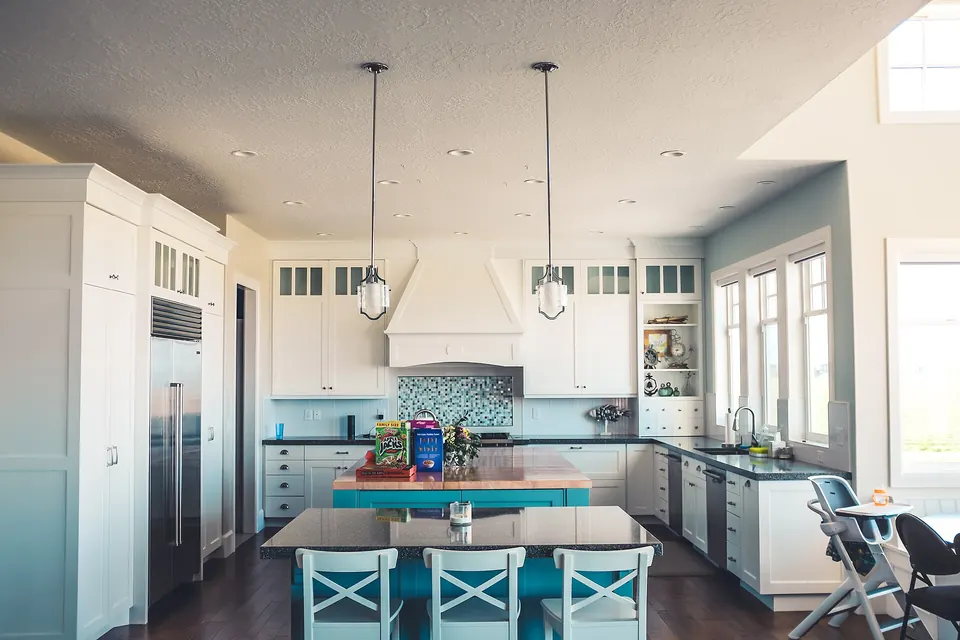
Registration opens the full homeowner workflow
Create your sign-in, finish your profile, confirm your email, then begin adding homes, rooms, appliances, and finish details.
Create your account
Start with your preferred sign-in method. The detailed homeowner profile step comes next for everyone.
Prefer to start with an external provider?
Use an available provider to authenticate first, then finish the same homeowner profile step everyone uses.
If a friend shared a code, enter it here before continuing with your provider.
Use any available provider to authenticate first, then continue through the same homeowner profile setup flow.
Terms & Conditions
Premium Home Manager — Terms of Service
Simple, clear terms for a homeowner-focused platform.
These Terms of Service govern your access to and use of Premium Home Manager. Please read them carefully. By creating an account or using the platform you agree to be bound by these terms.
Owned and operated by BATL Group LLC
Version 1.2 · Effective July 7, 2026
Your home records stay private to your account.
Only upload content you have the right to store.
Service guidance is informational, not a guaranteed quote.

About the platform
Premium Home Manager is a private, account-based home management portal that helps homeowners organize, track, and plan everything related to their homes — all in one place.
-
Room detail inventory
- Paint colors and finishes
- Moulding and trim types
- Wallpapers and wall treatments
- Windows, doors, and hardware
- Lighting fixtures and controls
- Flooring and tile specifications
- Appliance records, manuals, and warranty tracking
- Service and repair history by room or system
- Maintenance schedules and automated reminders
- Renovation project planning with product and finish records
- Home management guidance, tips, and content
We may update these terms from time to time. When we do, we will revise the version date above. Continued use of the platform after a revision is posted constitutes acceptance of the updated terms.
Definitions
The following terms are used throughout this document:
- Company, we, us, our — BATL Group LLC, its officers, employees, and authorized agents.
- Platform / Service — The Premium Home Manager web application, including all features, tools, content, and APIs made available to you.
- Account — The registered user account you create to access the Service.
- Home — Any residential property you register within the platform.
- Content — Any text, images, documents, records, or other materials you upload, store, or submit through the platform.
- You, your — The individual or entity registered to and using the platform.
- Subscription — A paid or free-tier recurring plan granting access to the Service for a specified billing period.
Acceptable use
Use the platform lawfully, honestly, and only for homes you own or control.
You agree to
- Provide true, current, accurate, and complete information during registration and throughout your use of the platform.
- Keep your account and profile information up to date.
- Register only homes you own, are purchasing, or have valid authority to manage.
- Use the platform in compliance with all applicable federal, state, and local laws.
- Take responsibility for all Content you upload, store, or transmit through the platform.
- Maintain the confidentiality of your login credentials and notify us promptly of any suspected unauthorized account access.
You may not
- Register homes you do not own or have no lawful authority to manage.
- Use the platform to defraud, deceive, or harm the Company, another user, or any third party.
- Upload malware, malicious code, or any content designed to disrupt, damage, or impair the platform.
- Transmit unsolicited commercial messages, spam, or unauthorized promotional materials.
- Upload or share content that is unlawful, defamatory, abusive, obscene, threatening, or that infringes any third-party intellectual property rights.
- Attempt to gain unauthorized access to the platform, its servers, or any other user's account data.
- Scrape, copy, or redistribute platform content or data for any commercial purpose outside of your own personal home management use.
- Resell, sublicense, or otherwise commercialize access to the Service without our express written consent.
Your content
You own your home records. We only use your content to operate and improve the Service.
Your representations
- You are at least 18 years of age.
- The Content you upload is accurate and not intentionally false or misleading.
- You own or have all necessary rights to any documents, photos, or materials you upload.
- Your Content does not violate any third-party intellectual property, privacy, or contractual rights.
Uploads and file scanning (beta)
New uploaded files must pass the configured malware scanner before entering storage. Flagged files and files whose scan cannot be completed are rejected. File-type and size validation also apply. Uploaded assets are stored privately and served through the Service. Scanning reduces risk but does not guarantee detection of all malicious or active content.
You agree to upload only Content you created yourself or received from a trusted source. You are solely responsible for the safety of any file you attach to your home records, and for any consequences that arise from sharing such a file with co-occupants, caretakers, vendors, or future owners through the Service.
Files stored before upload scanning was introduced have not automatically been rescanned. Rejected uploads are not retained for download. Continue to treat downloaded files with care.
License you grant us
By uploading or submitting Content, you grant BATL Group LLC a limited, non-exclusive, worldwide, royalty-free license to host, store, reproduce, and display that Content solely as necessary to provide and operate the Service for your account.
We will not use your personal home records, photos, or documents in external marketing, advertising, or promotional materials without your explicit written consent.
You retain full ownership of your Content. This license terminates when you delete the Content or close your account, subject to our data retention policy described below.
Subscriptions and billing
Paid plans renew automatically. You may cancel at any time before your next renewal date.
Plans and charges
- Premium Home Manager is offered on a subscription basis. Current plan pricing and feature tiers are listed on the pricing page.
- Subscriptions renew automatically at the end of each billing period (monthly or annual) at the then-current rate unless cancelled beforehand.
- By providing a payment method, you authorize us to charge all applicable fees to that payment method on the dates they become due.
- We reserve the right to change subscription pricing with at least 30 days' written notice to your registered email address. Price changes take effect at your next renewal.
- All fees are charged in U.S. dollars and are exclusive of applicable taxes, which are your responsibility.
Cancellation and refunds
- You may cancel your subscription at any time through your account settings. Cancellation takes effect at the end of the current billing period.
- We do not provide prorated refunds for unused time in a billing period, except where required by applicable law.
- If you cancel, your account and home data will remain accessible through the end of your paid period, after which your account will revert to the free tier or be closed, depending on your plan.
- We reserve the right to suspend or terminate accounts with overdue balances after reasonable notice.
- To request a billing dispute or refund review, contact us at legal@premiumhomemanager.com.
Account termination and data retention
You can close your account at any time. Here is exactly what happens to your data.
Your right to close
- You may close your account at any time through account settings or by contacting support.
- Upon closure, your home records, room data, appliance records, and uploaded documents will be permanently deleted from our active systems within 30 days.
- Before closing your account, save any home records and uploaded files you need to keep. The account-details download in settings contains account identity details and linked sign-in provider identifiers only; it is not a backup of your home records or attachments. A separate home archive ZIP in account settings contains home records and available attachments. Review its manifest for missing or skipped files before closing your account.
Our right to suspend or terminate
- We may suspend or terminate your account immediately if you breach these terms, engage in fraudulent activity, or use the platform in a way that harms other users or the Service.
- We may terminate accounts that have been inactive for 24 consecutive months after providing 30 days' email notice.
- Unsupported or fraudulent home ownership claims are grounds for account suspension pending review.
- Certain records (such as billing transactions) may be retained for up to 7 years as required by law, even after account closure.
Our responsibilities
- We will work to keep your home data private and accessible only within your account context.
- We will make reasonable efforts to keep the platform available and accurate, but do not guarantee uninterrupted access.
- Maintenance schedules and service reminders are informed by manufacturer manuals and industry data; we cannot guarantee every recommendation reflects the latest guidance for your specific products.
- Estimated service costs are general guidelines only. Obtain actual quotes from qualified contractors before making financial commitments.
- We will notify you of material changes to these terms via your registered email address.
Your responsibilities
- Only register homes you own, are under contract to purchase, or have valid written authorization to manage.
- Keep your login credentials secure and do not share account access with unauthorized parties.
- Verify all maintenance, repair, and contractor decisions independently before acting on them.
- Report broken functionality, suspicious activity, or privacy concerns promptly via the contact tools or at legal@premiumhomemanager.com.
- Ensure third parties (such as contractors) whose information you store on the platform have appropriate notice that their data is being recorded.
Third-party services and integrations
Some features rely on external providers. Their terms apply alongside ours.
The platform may integrate with or rely on third-party services — including payment processors, cloud storage providers, email delivery services, and product data sources — to deliver certain features. Your use of those integrations is subject to the applicable third-party provider's own terms and privacy policy.
We are not responsible for the availability, accuracy, or practices of any third-party service. Links or references to third-party products and vendors within the platform are provided for convenience and do not constitute an endorsement.
SMS messaging terms
Terms for optional text-message notifications.
If you opt in to receive SMS messages from Premium Home Manager, we may send you account notices, home maintenance reminders, service-event updates, warranty reminders, and other home-management notifications related to your account. Message frequency varies based on your account settings, home records, reminders, and service activity. Message and data rates may apply. You may opt out at any time by replying STOP. For help, reply HELP or contact us at info@premiumhomemanager.com. Consent to receive SMS messages is not a condition of purchase or use of the platform.
Disclaimer of warranties
THE SERVICE IS PROVIDED "AS IS" AND "AS AVAILABLE" WITHOUT WARRANTIES OF ANY KIND, EITHER EXPRESS OR IMPLIED, INCLUDING BUT NOT LIMITED TO WARRANTIES OF MERCHANTABILITY, FITNESS FOR A PARTICULAR PURPOSE, ACCURACY, OR NON-INFRINGEMENT.
We do not warrant that the platform will be uninterrupted, error-free, or completely secure. Home management guidance, maintenance schedules, and cost estimates are informational only and do not constitute professional engineering, contracting, or financial advice.
Limitation of liability
TO THE MAXIMUM EXTENT PERMITTED BY APPLICABLE LAW, BATL GROUP LLC AND ITS OFFICERS, EMPLOYEES, AND AGENTS SHALL NOT BE LIABLE FOR ANY INDIRECT, INCIDENTAL, SPECIAL, CONSEQUENTIAL, OR PUNITIVE DAMAGES — INCLUDING LOSS OF DATA, PROPERTY DAMAGE, OR FINANCIAL LOSS — ARISING FROM YOUR USE OF OR RELIANCE ON THE SERVICE.
OUR TOTAL CUMULATIVE LIABILITY TO YOU FOR ANY CLAIM ARISING UNDER THESE TERMS SHALL NOT EXCEED THE GREATER OF (A) THE TOTAL FEES YOU PAID US IN THE 12 MONTHS PRECEDING THE CLAIM, OR (B) ONE HUNDRED U.S. DOLLARS ($100).
Indemnification
You agree to indemnify, defend, and hold harmless BATL Group LLC and its officers, directors, employees, and agents from and against any claims, liabilities, damages, losses, and expenses — including reasonable legal fees — arising out of or in any way related to: (a) your use of the platform; (b) any Content you upload or submit; (c) your violation of these terms; or (d) your violation of any rights of a third party, including intellectual property or privacy rights.
Copyright infringement reporting
Notify us promptly if you believe content on the platform infringes your intellectual property rights.
To submit a copyright infringement notice, please provide the following:
- A description of the copyrighted work you believe has been infringed.
- The specific URL or location within the platform where the allegedly infringing material appears.
- Your full name, mailing address, telephone number, and email address.
- A statement explaining why you believe the use is unauthorized.
- A statement, under penalty of perjury, that the information in your notice is accurate and that you are authorized to act on behalf of the copyright owner.
- Your physical or electronic signature.
Submit notices via the site contact flow (select "Copyright / IP concern") or directly to legal@premiumhomemanager.com.
U.S. Copyright Act DMCA safe harbor provisions are available here.
Governing law and dispute resolution
These terms are governed by and construed in accordance with the laws of the State of Delaware, without regard to its conflict of law provisions. You agree that any dispute arising from or relating to these terms or your use of the platform shall be subject to the exclusive jurisdiction of the state and federal courts located in Delaware, and you consent to personal jurisdiction in those courts.
Before initiating any legal proceeding, you agree to contact us at legal@premiumhomemanager.com and provide 30 days' written notice of your dispute so that we may attempt to resolve it informally.
Privacy
Our Privacy Policy explains how we collect, use, store, and protect information associated with your account and registered homes. It forms part of these Terms of Service and is incorporated by reference.
Review Privacy PolicyContact us
If you have questions about these terms, your account, or your data, reach us at:
- Email: legal@premiumhomemanager.com
- Operator: BATL Group LLC
Privacy policy
Review it here, then jump back to the terms to finish agreeing.
Premium Home Manager — Privacy Policy
We keep your home data private. Here is exactly how.
This Privacy Policy describes what information we collect when you use Premium Home Manager, how we use it, and the choices you have. By using the platform you agree to the practices described here.
Owned and operated by BATL Group LLC
Version 1.1 · Effective July 7, 2026
We do not sell your personal data — ever.
Your home records are visible only to your account.
You can download your account details or request account deletion from settings.
Scope of this policy
This policy applies to all personal and home-related information collected through the Premium Home Manager web application and any related services operated by BATL Group LLC. It does not apply to third-party websites or services that may be linked from within the platform.
We may update this policy from time to time. When we do, we will revise the version date above and notify you via your registered email address if the changes are material. Continued use of the platform after a revision is posted constitutes acceptance of the updated policy.
Definitions
- Personal Data — Any information that identifies or could reasonably identify you as an individual, such as your name, email address, or billing information.
- Home Data — Records, documents, photos, maintenance history, and other content you enter about your registered homes.
- Usage Data — Information automatically collected about how you interact with the platform, such as pages visited and features used.
- We, us, our — BATL Group LLC, its officers, employees, and authorized agents.
- You, your — The individual registered to and using the platform.
What we collect
We collect only what is necessary to provide and improve the Service.
Information you provide directly
- Account registration — Name, email address, and password when you create an account.
- Home records — Property address, room details, appliance records, product specifications, photos, service history, and any other content you enter into the platform.
- Billing information — Payment method details processed through our third-party payment processor. We do not store full card numbers on our servers.
- Communications — Messages, support requests, or feedback you send to us.
- Contractor and vendor records — Contact information and notes about third parties you add to your home records.
Information collected automatically
- Usage Data — Pages visited, features used, session duration, and click patterns collected to help us improve the platform.
- Device and browser data — Browser type, operating system, screen resolution, and general device type used to optimize display and performance.
- IP address — Collected for security monitoring, fraud prevention, and general geographic analytics (country/region level only).
- Cookies and similar technologies — Used for authentication, session management, and user preferences. See the Cookies section below.
- Log data — Server logs including access timestamps, error events, and API requests, retained for up to 90 days for security and debugging purposes.
How we use your data
Your data is used to operate the platform and improve your experience — nothing else.
Core service operations
- Providing access to your home records, maintenance schedules, and reminders.
- Processing your subscription payments and managing your account.
- Sending service notifications, maintenance reminders, and warranty alerts.
- Responding to your support requests and communications.
- Verifying your identity and securing your account.
Platform improvement
- Analyzing aggregated, anonymized usage patterns to improve features and usability.
- Diagnosing technical issues and improving platform stability and performance.
- Developing new features informed by how users interact with the platform.
- Sending product updates, new feature announcements, and relevant platform news (you may opt out at any time).
SMS messaging privacy notice
How we use mobile phone numbers and SMS messaging consent.
If you opt in to receive SMS messages from Premium Home Manager, we may use your mobile phone number to send account notices, home maintenance reminders, service-event updates, warranty reminders, and other home-management notifications related to your account. Message frequency varies based on your account settings, home records, reminders, and service activity. Message and data rates may apply. You may opt out at any time by replying STOP, or request help by replying HELP. We do not share, sell, rent, or otherwise disclose your mobile phone number or SMS messaging consent information to third parties or affiliates for marketing or promotional purposes.
Optional AI processing
Review what leaves PHM before using an AI feature.
Room photo enhancement is off by default for each upload. If you select it and the feature is available, PHM sends a copy of that photo to OpenAI to improve brightness and clarity. The outgoing copy uses a generic filename and removes EXIF, GPS, text, and other non-rendering metadata. The image itself can still reveal people, possessions, documents, and private household details. Leave the option unchecked to keep the original without sending that upload to OpenAI.
Optional property tax lookup sends the property address you enter to the configured AI providers, OpenAI and/or Google Gemini, to search public tax and parcel information. You can enter tax details yourself without using the lookup.
AI providers process submitted content under the terms that apply to PHM's provider accounts. The photo enhancement choice authorizes that processing; it does not authorize PHM to use your content for model training. Provider retention and handling depend on the applicable account terms and settings.
How we do not use your data
These are hard commitments — not aspirational statements.
- We do not sell your personal data or home records to any third party, under any circumstances.
- We do not use your home photos, documents, or records for advertising or marketing purposes without your explicit written consent.
- We do not share your data with data brokers, advertising networks, or analytics companies for targeting purposes.
- We do not use your data to train machine learning or AI models without your explicit consent.
- We do not allow third-party advertising networks to place trackers on our platform.
When we share data
We share data only when necessary to operate the Service or when required by law.
Service providers
We work with carefully selected third-party vendors who assist us in operating the platform. These include payment processors, cloud hosting providers, email delivery services, and analytics tools. These vendors are contractually prohibited from using your data for any purpose other than providing their service to us.
Examples of categories of service providers we may use:
- Payment processing (e.g., Stripe or similar)
- Cloud hosting and data storage
- Transactional email delivery
- Error monitoring and application performance
Legal and safety disclosures
We may disclose your information when we believe disclosure is necessary to:
- Comply with applicable law, regulation, legal process, or enforceable governmental request.
- Enforce our Terms of Service or investigate potential violations.
- Detect, prevent, or address fraud, security breaches, or technical issues.
- Protect the rights, property, or safety of BATL Group LLC, our users, or the public.
In the event of a merger, acquisition, or sale of all or substantially all of our assets, your data may be transferred to the acquiring entity. We will notify you via email and provide a reasonable opportunity to delete your data before any such transfer takes effect.
Data security
We apply industry-standard protections to keep your home records safe.
How we protect your data
- All data transmitted between your browser and our servers is encrypted using TLS (HTTPS).
- Stored data is encrypted at rest using industry-standard encryption.
- Account passwords are hashed using a strong one-way algorithm — we cannot read them.
- Access to production data is restricted to authorized personnel only, on a need-to-know basis.
- We conduct regular security reviews and apply security patches promptly.
Your role in security
- Use a strong, unique password for your account and do not share it with others.
- Enable two-factor authentication if offered — we recommend it.
- Log out of your account when using shared or public devices.
- Notify us immediately at legal@premiumhomemanager.com if you suspect unauthorized access to your account.
No system is completely immune to breach. While we implement strong protections, we cannot guarantee absolute security. In the event of a data breach affecting your information, we will notify you promptly in accordance with applicable law.
Data retention
- Your account and home data is retained for as long as your account is active.
- Upon account closure, home records, room data, appliance records, and uploaded documents are permanently deleted from active systems within 30 days.
- Billing and transaction records are retained for up to 7 years as required by applicable financial regulations.
- Anonymized, aggregated usage data may be retained indefinitely for platform analytics.
- Server logs are retained for up to 90 days for security and debugging purposes.
Cookies
We use cookies and similar technologies for the following purposes:
- Essential cookies — Required for authentication, session management, and core platform functionality. These cannot be disabled without impairing service.
- Preference cookies — Remember your display settings and other platform preferences.
- Analytics cookies — Collect anonymized usage data to help us understand how the platform is used and where to improve it.
You can control non-essential cookies through your browser settings or our cookie preference center. Disabling analytics cookies will not affect your ability to use the platform.
Your rights and choices
You are in control of your data. Here is what you can do.
Access, correction, and export
- Access — You can view all personal data and home records associated with your account at any time through account settings.
- Correction — You can update your personal information and home records directly within the platform at any time.
- Download account details — Account settings provide a JSON download of account identity details and linked sign-in provider identifiers. This download does not include home records, rooms, appliances, reminders, or uploaded files. A separate home archive ZIP in account settings contains home records and available attachments. Review its manifest for missing or skipped files before closing your account. Save any records and attachments you need separately before closing your account.
Deletion and opt-out
- Delete account — You may close your account at any time through account settings. Your data will be deleted within 30 days of closure.
- Delete home records — You can delete individual homes, rooms, appliance records, or documents at any time from within the platform.
- Marketing emails — You can unsubscribe from non-essential marketing and product update emails at any time using the unsubscribe link in any email or through account notification settings. Transactional and account security emails cannot be disabled.
- Data requests — To request access, correction, or deletion of data not accessible through the platform, contact us at legal@premiumhomemanager.com. We will respond within 30 days.
Children's privacy
Premium Home Manager is not directed at children under the age of 13, and we do not knowingly collect personal information from anyone under 13. If we become aware that a child under 13 has provided us with personal data, we will delete it promptly. If you believe a child has submitted information to us, please contact us at legal@premiumhomemanager.com.
Third-party links
The platform may contain links to third-party websites, product pages, or contractor directories. These are provided for convenience and do not imply endorsement. We have no control over the content or privacy practices of third-party sites and are not responsible for them. We encourage you to review the privacy policy of any third-party site you visit.
Governing law
This Privacy Policy is governed by the laws of the State of Delaware, without regard to its conflict of law provisions, consistent with our Terms of Service.
If you are located in the European Economic Area, United Kingdom, or California, additional rights and protections may apply to you under GDPR, UK GDPR, or the California Consumer Privacy Act (CCPA) respectively. Contact us at legal@premiumhomemanager.com to exercise any applicable regional rights.
Contact us
Questions, requests, or concerns about this Privacy Policy or your data:
- Email: legal@premiumhomemanager.com
- Operator: BATL Group LLC
We will respond to all privacy-related inquiries within 30 days.
Review Terms of Service